TheHelpful.com Hub
🛠️
ASCII Creator Studio:
Retro Graphics for the Modern Web
ASCII art – creating pictures from text characters – is the Internet’s oldest and most enduring art form. Before we had high-resolution retina screens, we had green phosphors, impact printers and monospaced fonts.
For me, this project is personal. I cut my geek-teeth in the first era of personal computers, but my introduction to digital art goes back even further. My dad, who taught programming at Control Data, used to bring home massive concertina-fold printouts of ‘computer visuals’ on tractor-feed paper. They were simple, blocky, and fascinating. It was the first time I realized that code could be creative.
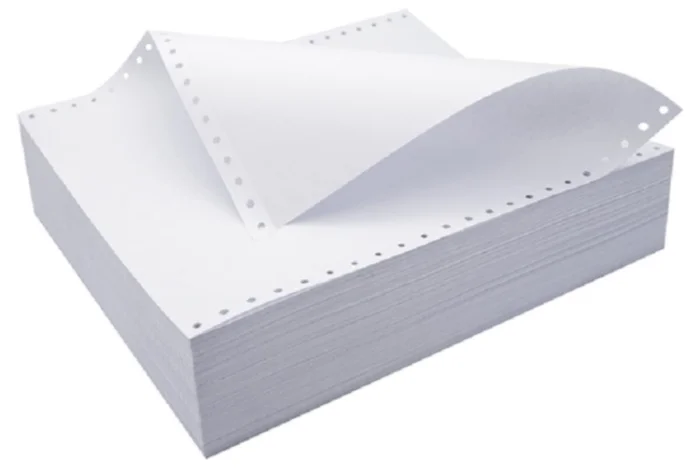
The ASCII Creator Studio is a modern homage to those tractor-feed masterpieces. It takes that retro aesthetic and upgrades it with modern browser technology, turning your device into a real-time text-art generator.
What You Can Do
This isn't just a static image converter. It is a full creative suite designed for experimentation.
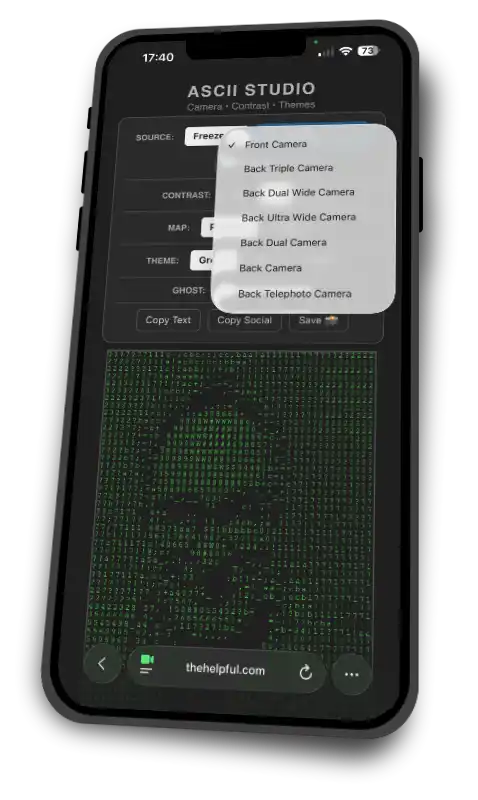
Live Camera Feed: Don't just convert a file; become the art. Wave at yourself in real-time Matrix code. (This supports multiple cameras, so you can switch between your front-facing selfie camera and rear cameras easily).
Image upload: use any image from your own device to see it converted to retro ASCII pixels.
Ghost Mode: The ‘Killer Feature.’ Use the slider to fade in your original real-world video behind the text layer. This allows you to create eerie, layered visuals that bridge the gap between analog reality and digital text.
Contrast Control: Sometimes reality is too messy. Use the "Pop" setting to clean up the noise, or go full "Sin City" with the High Contrast mode for stark, dramatic outlines.
Themes & Maps: Switch instantly between the classic ‘Green Screen,’ a crisp ‘Paper’ mode (great for printing), or a monochrome ‘Monitor’ style. You can also invert the character mapping to suit light or dark backgrounds.
Sharing Your Art (The Modern Problem, Solved)
The biggest problem with ASCII art today is sharing it. If you paste an ASCII masterpiece into a Tweet, Facebook status update or a text message, it breaks. Rather than trying to make images make sense with just a handful of ASCII characters, life is much easier if you export an image – which preserves the full appearance, ghost mode and all – and share that:
High-Res Snapshot: One click saves your creation—including the Ghost Mode overlay and background colors—as a PNG image.
You can also use Copy Text to copy the full ASCII extravaganza and typeset it yourself in any page layout software. (You can also do this in word processors, but you'll be pushing the limits of what these toools can do). To recreate the appearance with a similar width and height simply:
- Set the typeface to Courier New (or any monospaced font)
- Reduce the leading to zero (or 100% of the type size, or line spacing 1.0, depending on how your software describes it)
- Set the character spacing or tracking to 100% – and fine-tune this to taste.
Privacy Note
Everything happens in your browser. Whether you are uploading a photo or streaming your webcam, your video feed never leaves your device. No data is sent to our servers. Your privacy is absolute.
Quick Tips: typesetting copied text
Pasting Your Text Because ASCII art relies on precise grid alignment, pasting the text into a standard document can sometimes make the image look "squashed" or distorted. To restore the correct aspect ratio in apps like Word, Pages, or Affinity:
Set the typeface to Courier New (or any monospaced font).
Set the Leading (Line Height) to be exactly the same as the font size (e.g., 10pt font / 10pt leading).
Set the Tracking (Letter Spacing) to roughly 100% (or add significant space between characters).
Quick tips: getting the Best Image
Lighting: ASCII works best with high-contrast lighting. If the live feed looks muddy, try the 1.5 or 3.0 contrast buttons.
Ghost Mode: For a spooky, artistic effect, set the Ghost slider to around 20%. This hints at the original colors without overpowering the text.
Printing: Switch to the Paper theme and Negative map for a result that looks perfect on a physical printer (and saves your ink!).